
MiniMax-M2.7 上月推出,时隔半个多月,刚刚开源了。
这次开源,可以发现很多更细节的内容,不过我就不过多介绍了。
因为我简单测试之后,没达到我的预期,主要介绍一下本地部署相关的内容吧。
我是用的 Nvidia 提供的线上测试,用例依然是阅读理解+svg 代码生成 + 审美。
结果是比较跌眼睛的,甚至感觉有 Qwen3 的水平。与 GLM-5.1 半斤八两。它俩都远不及 Qwen3.6 Plus(仅代表本人观点,仅此测试用例感受)。
简介
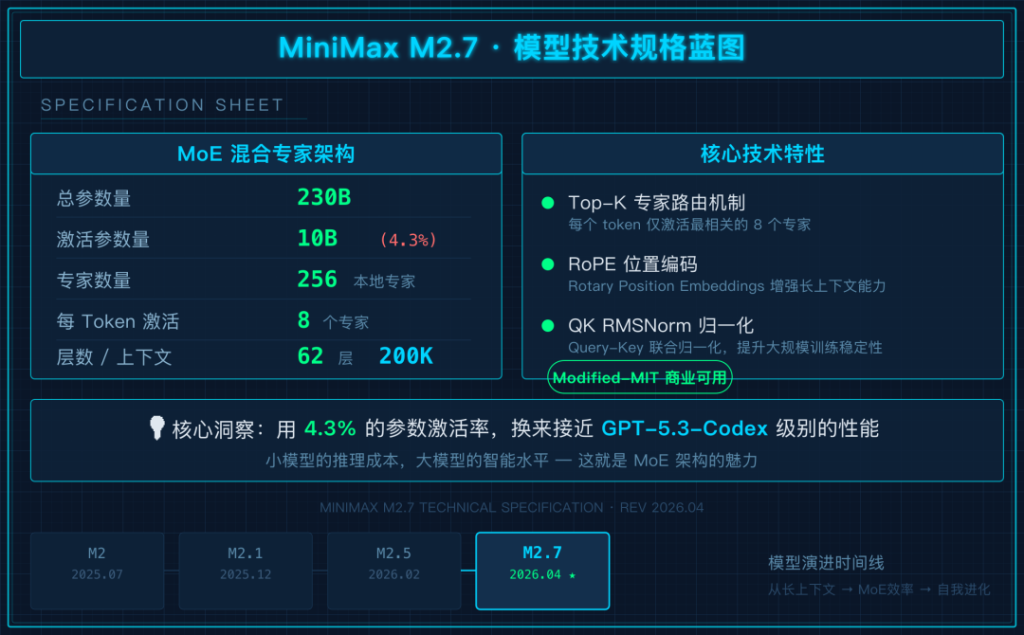
M2.7 的核心亮点:
- 模型自我进化:M2.7 能自主更新记忆、构建技能、改进学习流程
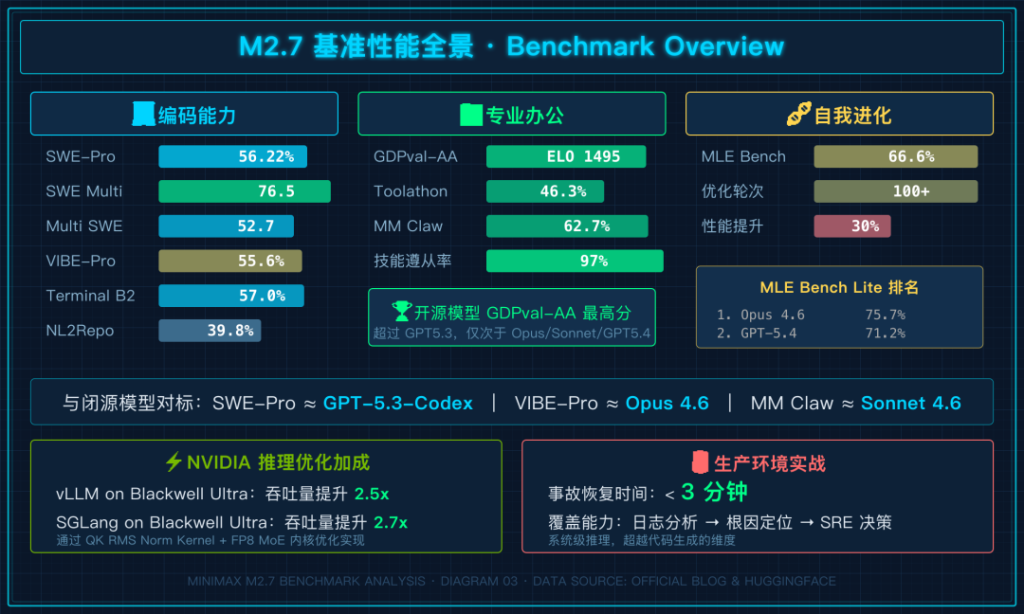
- 专业软件工程:SWE-Pro 达到 56.22%
- 专业办公能力:GDPval-AA ELO 1495
- 原生 Agent Teams:支持多智能体协作
代码能力号称媲美 GPT-5.3-Codex
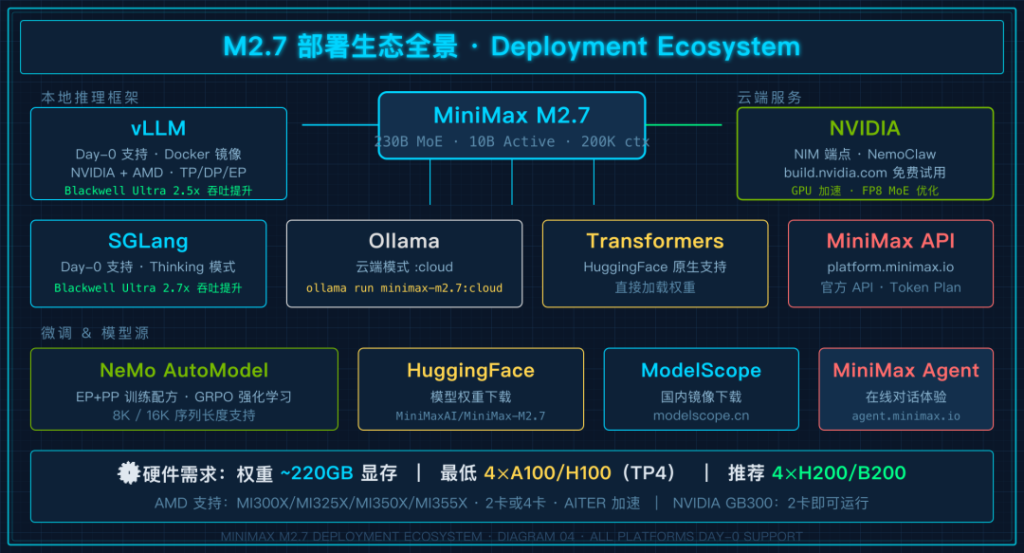
部署方式:生态全面开花
 成本是 230GB 起步,官方建议至少 4 张 H200。
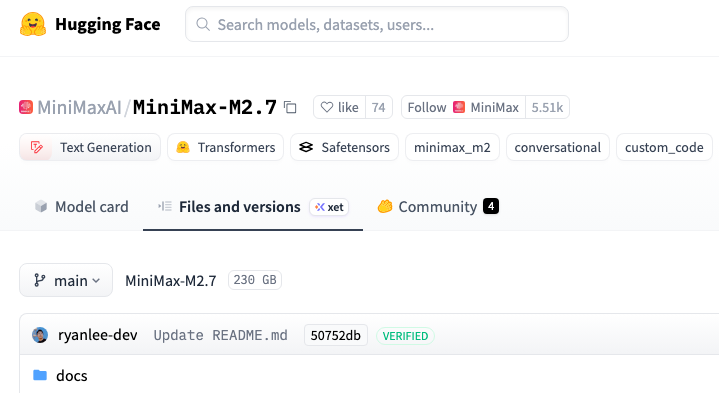
目前量化版本应该都在加急中,截止此刻,还都只创建好了文件夹而已
按照以往 unSloth 的战绩,压缩到几十 GB 不是难事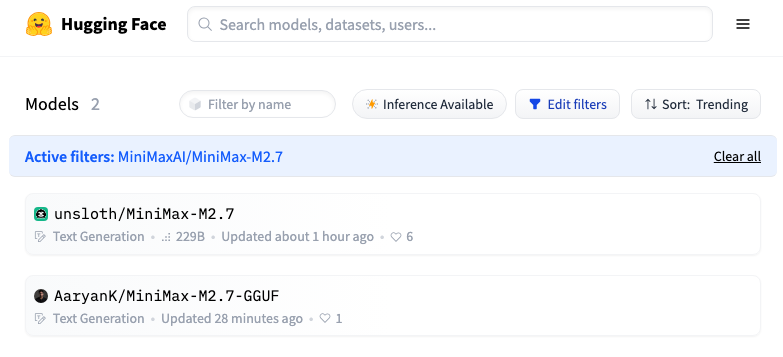
Ollama
Ollama 最新版已经有 minimax-m2.7:cloud 可以免费使用了。
ollama run minimax-m2.7:cloud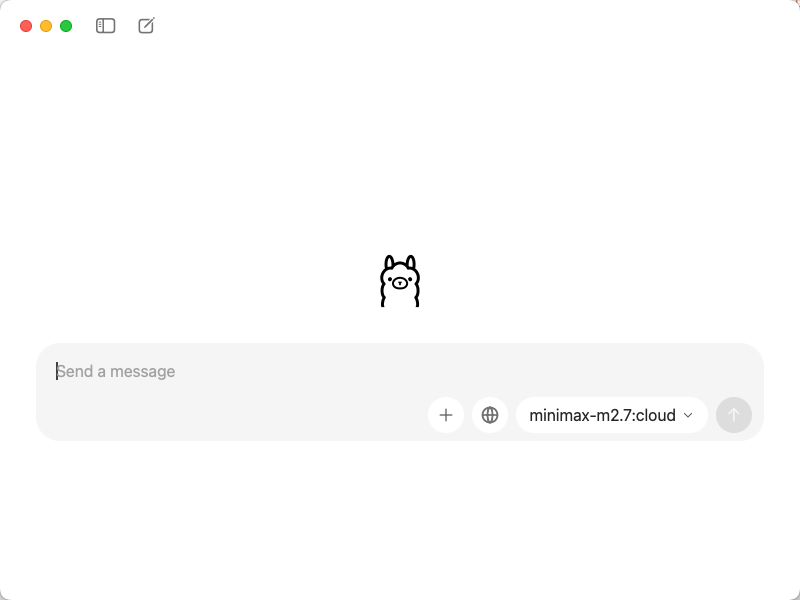
M2.7 已登录 Ollama 云端,商业许可可用
# 与 OpenClaw 一起使用
ollama launch openclaw --model minimax-m2.7:cloud

# 直接聊天
ollama run minimax-m2.7:cloud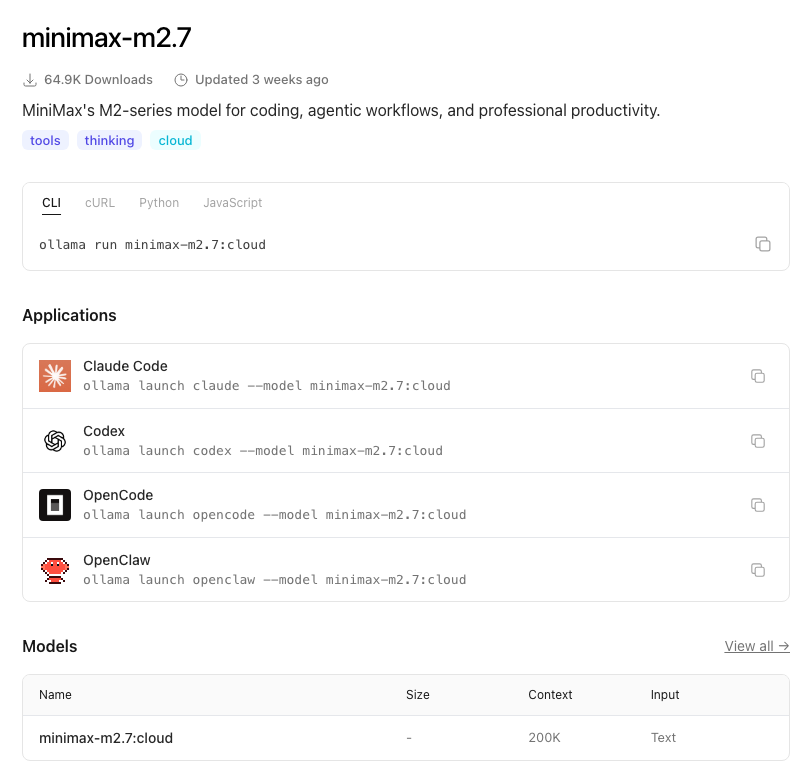
这里要注意,目前 Ollama 上的 M2.7 走的是云端推理(:cloud 标签),原因是 230B 参数的 MoE 模型本地跑起来需要的显存实在太大
等后续量化版出来,应该会有本地可跑的版本
vLLM
vLLM 提供了 Day-0 支持,是目前最成熟的部署方案之一。
vLLM 提供了 Day-0 支持,是目前最成熟的部署方案之一
# 基础部署(4 卡 H200/H100/A100)
vllm serve MiniMaxAI/MiniMax-M2.7 \
  --tensor-parallel-size 4 \
  --tool-call-parser minimax_m2 \
  --reasoning-parser minimax_m2 \
  --compilation-config '{"mode":3,"pass_config":{"fuse_minimax_qk_norm":true}}' \
  --enable-auto-tool-choice \
  --trust-remote-code

# 8 卡部署(DP+EP 模式)
vllm serve MiniMaxAI/MiniMax-M2.7 \
  --data-parallel-size 8 \
  --enable-expert-parallel \
  --tool-call-parser minimax_m2 \
  --reasoning-parser minimax_m2 \
  --enable-auto-tool-choice
Docker 一键启动:
docker run --gpus all \
  -p 8000:8000 \
  --ipc=host \
  -v ~/.cache/huggingface:/root/.cache/huggingface \
  vllm/vllm-openai:minimax27 MiniMaxAI/MiniMax-M2.7 \
  --tensor-parallel-size 4 \
  --tool-call-parser minimax_m2 \
  --reasoning-parser minimax_m2 \
  --enable-auto-tool-choice \
  --trust-remote-code
vLLM 支持 NVIDIA 和 AMD 两大平台:
-
NVIDIA:4×H200/H100/A100 张量并行,或 8 卡 DP+EP/TP+EP 模式 -
AMD:2× 或 4× MI300X/MI325X/MI350X/MI355X,支持 AITER 加速
系统需求:权重需要约 220GB 显存,每 100 万上下文 token 额外需要 240GB。
SGLang
SGLang 同样提供了 Day-0 支持,支持 Thinking 模式。
SGLang 同样提供了 Day-0 支持
sglang serve \
  --model-path MiniMaxAI/MiniMax-M2.7 \
  --tp 4 \
  --tool-call-parser minimax-m2 \
  --reasoning-parser minimax-append-think \
  --trust-remote-code \
  --mem-fraction-static 0.85
SGLang 的一个特点是支持 Thinking 模式,通过 minimax-append-think 解析器,可以把思考过程和最终内容分开展示。
快速测试部署是否成功:
curl http://localhost:30000/v1/chat/completions \
  -H "Content-Type: application/json" \
  -d '{
    "model": "MiniMaxAI/MiniMax-M2.7",
    "messages": [
      {"role": "system", "content": [{"type": "text", "text": "You are a helpful assistant."}]},
      {"role": "user", "content": [{"type": "text", "text": "Who won the world series in 2020?"}]}
    ]
  }'
M2.7 在 SGLang 上的推荐推理参数:temperature=1.0,top_p=0.95,top_k=40。
NVIDIA 加持
NVIDIA 这次给了 MiniMax 很大的支持力度。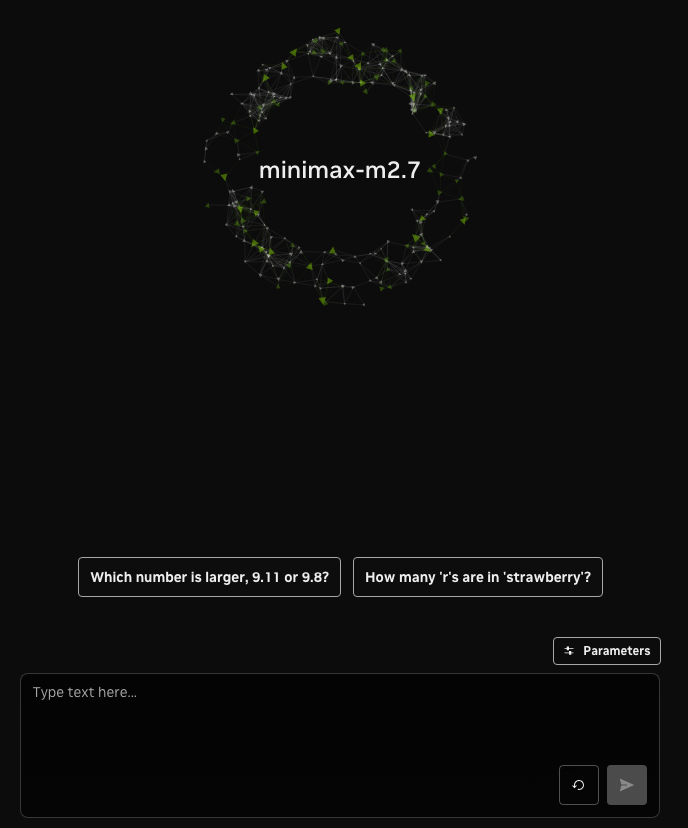
GPU 加速端点:在 build.nvidia.com/minimaxai/minimax-m2.7 可以免费试用 M2.7
推理优化:NVIDIA 和开源社区合作,为 vLLM 和 SGLang 做了两个关键优化:
-
QK RMS Norm Kernel:将计算和通信操作融合到单个内核中,减少了内核启动和显存读写开销 -
FP8 MoE:集成了 TensorRT-LLM 的 FP8 MoE 模块化内核,专门针对 MoE 模型优化
结果非常惊人——在 NVIDIA Blackwell Ultra GPU 上:
-
vLLM 吞吐量提升 2.5 倍(一个月内实现) -
SGLang 吞吐量提升 2.7 倍(一个月内实现)
NemoClaw:NVIDIA 提供了开源参考栈 NemoClaw,一键部署 OpenClaw 持续运行助手
微调支持:通过 NeMo AutoModel 库进行后训练,支持 EP + PP 训练方案。NeMo RL 库还提供了 GRPO 强化学习的样例配方(8K 和 16K 序列长度)
微调配方:
# NeMo AutoModel 微调配方
https://github.com/NVIDIA-NeMo/Automodel/blob/main/examples/llm_finetune/minimax_m2/minimax_m2.7_hellaswag_pp.yaml

# 分布式训练文档
https://github.com/NVIDIA-NeMo/Automodel/discussions/1786
Transformers
也可以用 HuggingFace Transformers 直接加载模型,参考 Transformers 部署指南 (huggingface.co/MiniMaxAI/MiniMax-M2.7/blob/main/docs/transformers_deploy_guide.md)
ModelScope
国内用户也可以从 ModelScope(modelscope.cn/models/MiniMax/MiniMax-M2.7) 下载模型权重
Tool Calling 和 Thinking 模式
M2.7 同时支持工具调用和思考模式,这让它在 Agent 场景下更加灵活。
工具调用示例(以 SGLang 为例):
from openai import OpenAI

client = OpenAI(
    base_url="http://localhost:30000/v1",
    api_key="EMPTY"
)

tools = [
    {
        "type": "function",
        "function": {
            "name": "get_weather",
            "description": "Get the current weather for a location",
            "parameters": {
                "type": "object",
                "properties": {
                    "location": {
                        "type": "string",
                        "description": "The city name"
                    }
                },
                "required": ["location"]
            }
        }
    }
]

response = client.chat.completions.create(
    model="MiniMaxAI/MiniMax-M2.7",
    messages=[
        {"role": "user", "content": "What's the weather in Beijing?"}
    ],
    tools=tools
)

message = response.choices[0].message
if message.tool_calls:
    for tool_call in message.tool_calls:
        print(f"Tool Call: {tool_call.function.name}")
        print(f"   Arguments: {tool_call.function.arguments}")
Thinking 模式:通过 <think>...</think> 标签把思考过程包裹在内容中。在流式输出场景下,可以实时解析这些标签,把思考和最终回答分开展示。
快速上手
如果你想快速体验 M2.7,最简单的方式:
方式一:API 调用
访问 platform.minimax.io 注册开发者账号,通过 API 调用。
方式二:MiniMax Agent
访问 agent.minimax.io 直接在线对话。
方式三:Ollama 云端
ollama run minimax-m2.7:cloud
方式四:NVIDIA 免费端点
访问 build.nvidia.com/minimaxai/minimax-m2.7 在浏览器中直接测试。
本文来自转载老章很忙 ,观点仅代表作者本人,发现AI平台仅提供信息存储空间服务。
如若转载,请联系原作者;如有侵权,请联系编辑删除。

 微信扫一扫
微信扫一扫